 BERA TOPRAKWEB DESIGN
A sales catalogue that works offline.
A central product system and tablet app that give sales teams access to the catalogue and customer notes, even away from a reliable connection.
- My role
- Interface design, backend development and tablet app
- Scope
- Admin dashboard and tablet app


The catalogue has to be there when the conversation happens.
In a customer meeting, sales teams need to find products, show details and capture notes. A poor connection cannot be allowed to interrupt that conversation.
I paired a central management dashboard with a tablet app built for work in the field.

Managed centrally. Ready wherever the team is.
- 01Admin dashboard
Products, categories, brands, users and images are managed in one dashboard.
- 02Data model
A shared data model lets a product appear in more than one category.
- 03Sync
A paired device identity controls the tablet's access to data.
- 04On the tablet
The catalogue is stored on the device and remains available without a connection.
- 05Sales team
The team can search, filter, take notes and prepare a selection to present.
One place to keep the catalogue current.
- Bulk product management
- Import products from Excel, preview records before saving, then manage bulk deletion and export from the same panel.
- Images
- Images are processed on upload and stored at sizes suited to listings and product detail. Problem images can be replaced in the dashboard.
- User roles
- Admin and sales roles have separate access.
- Customer notes
- Customer notes entered on a tablet are visible in the dashboard too.
- Device pairing
- The dashboard issues a single-use pairing code valid for ten minutes. Easily confused characters are excluded.
- Device access
- Only hashed pairing codes and device access tokens are stored. Access for a lost device can be revoked centrally.
Last synced. Still ready to work.
The tablet downloads categories and brands, then products in batches, into a local SQLite database. Notes sync both ways; deletions sync as well.
Without a connection, the last downloaded catalogue stays usable and syncing retries later. The offline state is explained calmly instead of presented as an error.

Find the product. Build the selection. Keep the context.
Browse by category or brand, search and filter, then inspect zoomable imagery and related products. Selected items can be shared as a presentation list, with meeting notes attached to relevant products.
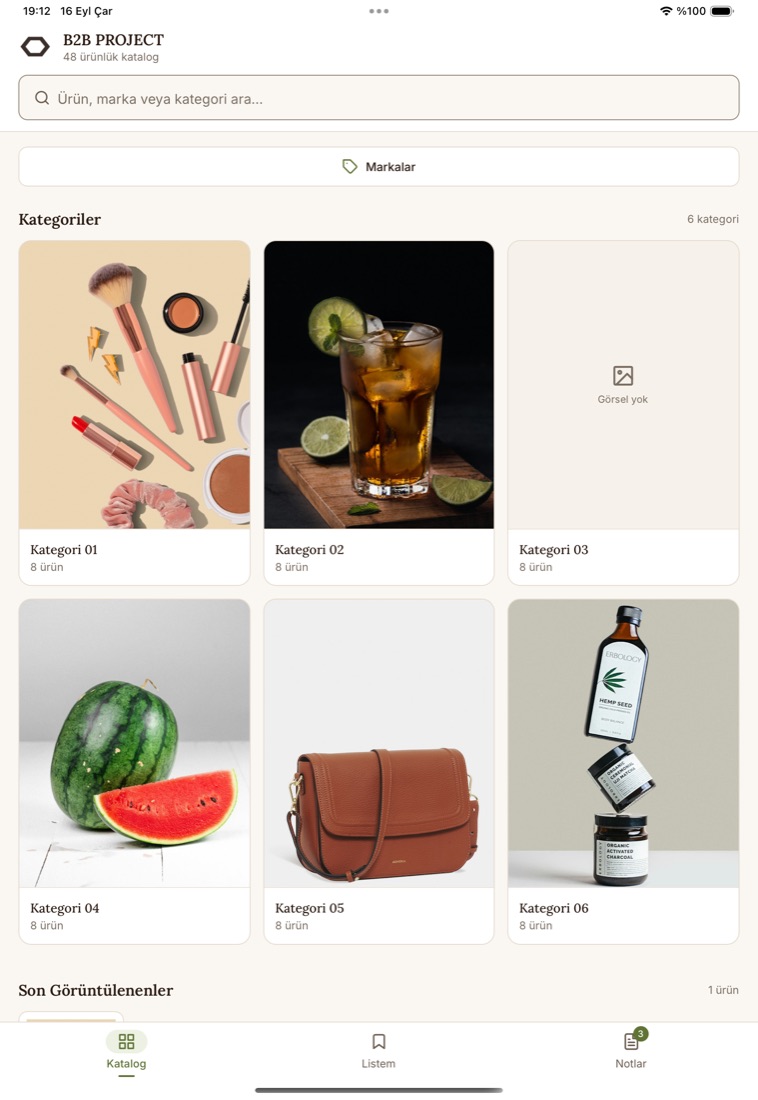
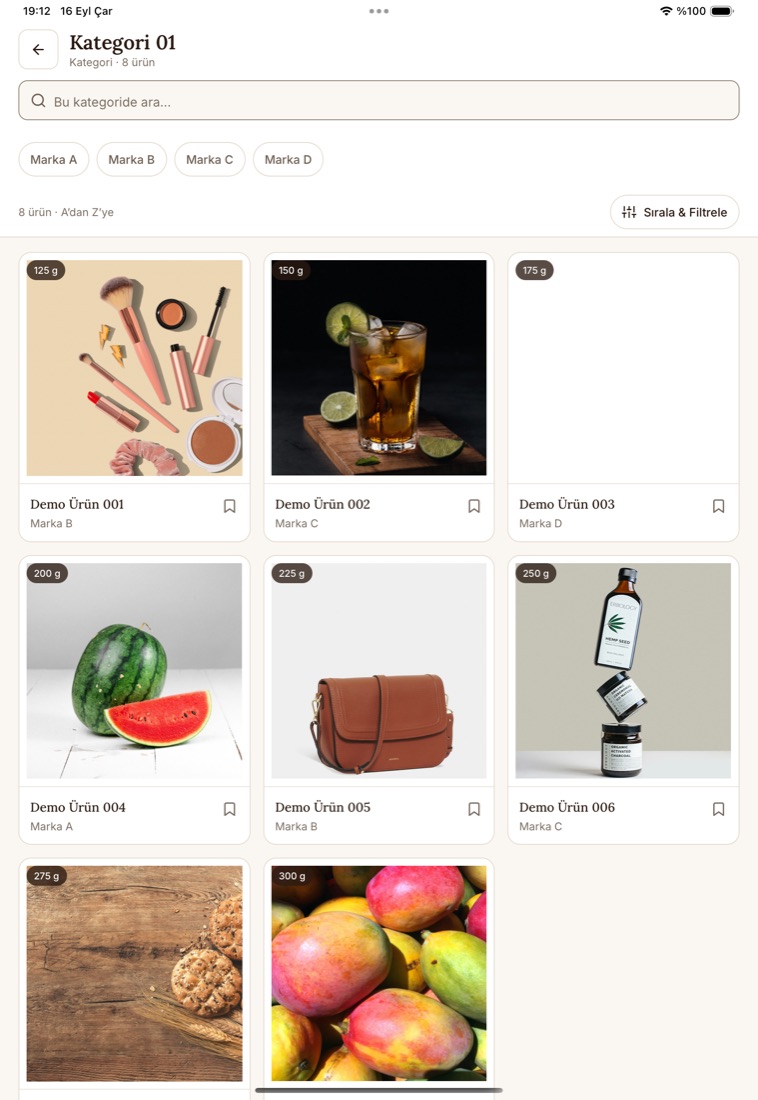
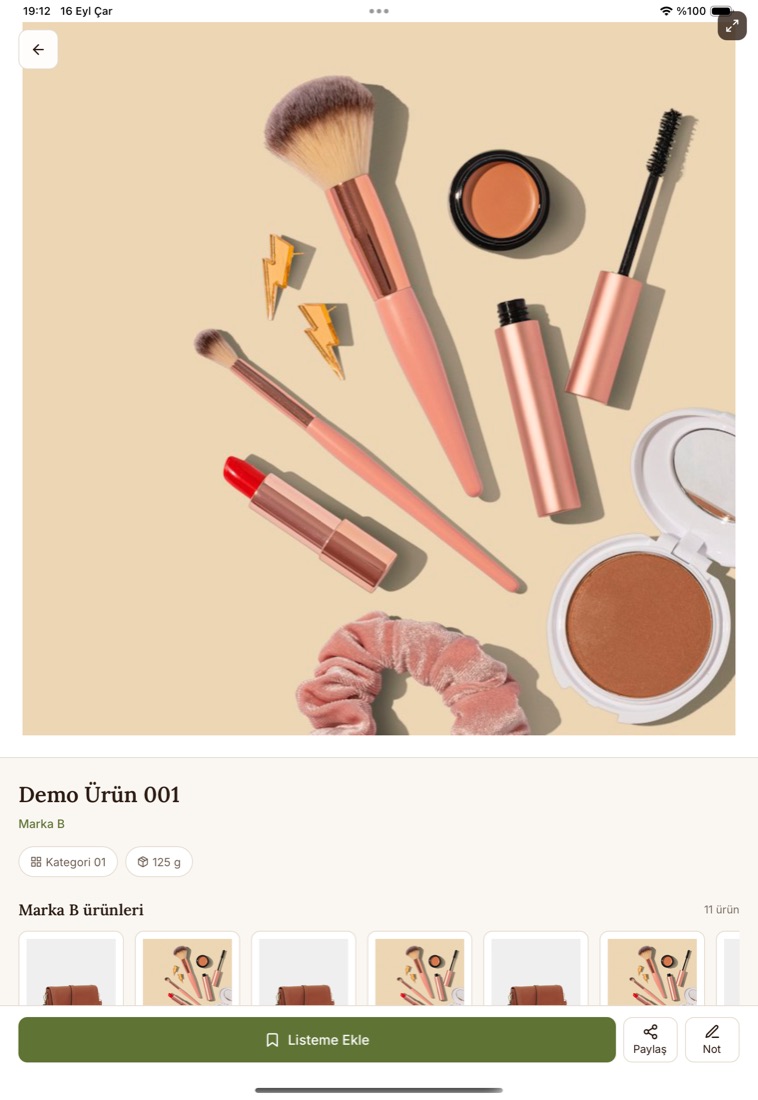
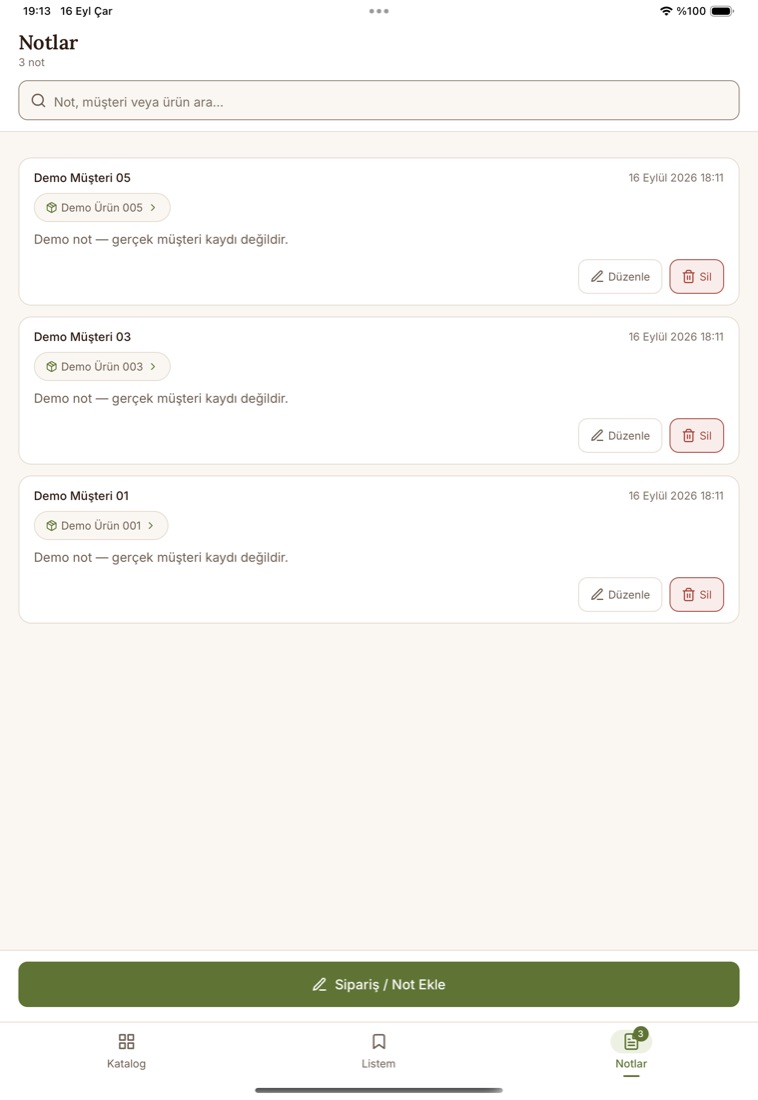
Screenshots are from a review build. Product and customer details are sample data.

A shared foundation across dashboard and tablet.
Explore the technical details
- Admin dashboard
- Next.js · React · TypeScript · NextAuth
- Database & storage
- PostgreSQL · Prisma · Object storage
- Tablet app
- Expo · React Native · TypeScript
- On-device data
- SQLite · Secure token storage · Image cache
- File handling
- Excel import · Image processing
The right information follows the team.
The catalogue stays centrally managed while the sales team can use its latest downloaded version offline. When connection returns, product updates move to the tablet and field notes move back to the dashboard.
Have a project with similar ambitions? Tell me what you're building and where you need help.